SmartWatch & BT Sync Watch App
DevolutionappsCommunication
4.22.70K Reviews
- Version
- 428.0
- Installs
- 10.00M
- Age Rating
- Everyone
Screenshots
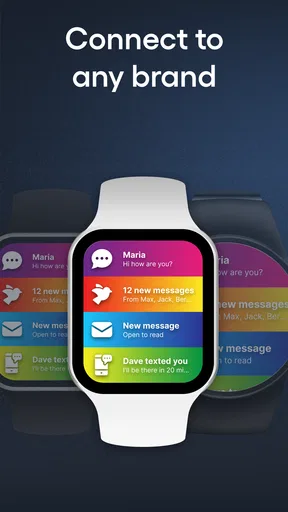
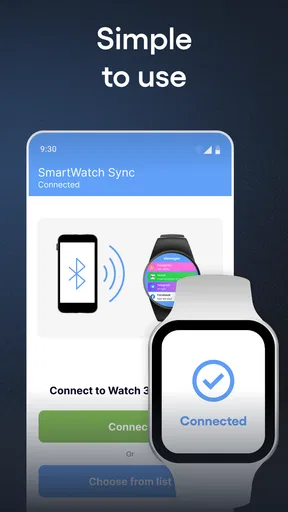
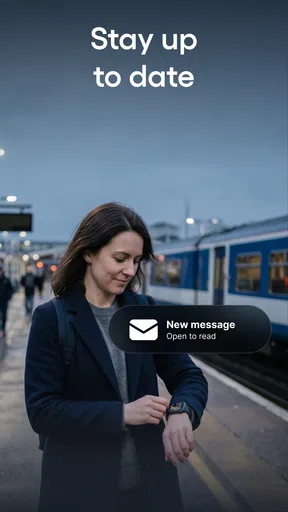
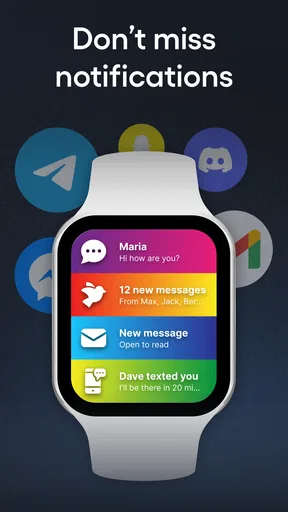
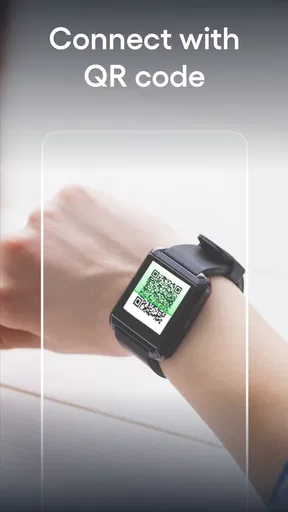
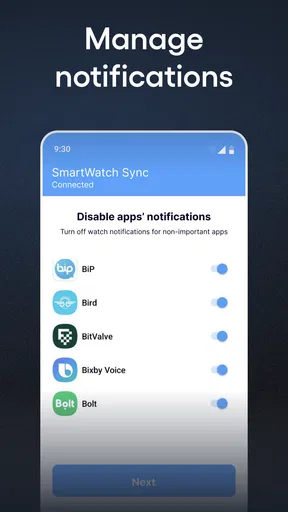
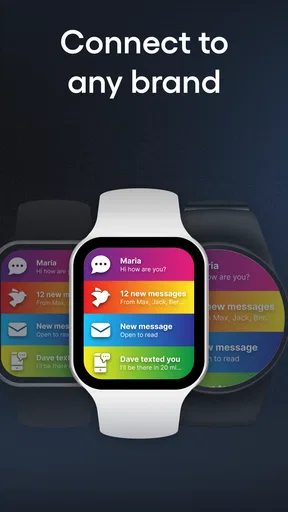
Our Review of SmartWatch & BT Sync Watch App
 Analysis by Appyee
I judge a smartwatch companion app by how naturally it fits into a day, not by how many options it can advertise. The point is to make a phone and watch work together with less reaching for the phone. SmartWatch & BT Sync Watch App is aimed at that practical role: it is a free communication app from Devolutionapps, with a focus on getting phone notifications onto a smartwatch over Bluetooth. If your main goal is to notice calls and alerts at a glance, that is a useful place to start.
What to expect from the basic workflow
The everyday routine is simple in concept: connect the watch to the phone, then use the wrist as a quick way to see incoming notifications. The value is not that a watch replaces a phone, but that it can help you decide whether something needs your attention now. I find this most useful when the phone is in a bag, across the room, or somewhere it would be awkward to check repeatedly.
Before relying on that routine, I would test it with the alerts that matter most. Send yourself a message or ask someone to call, then check whether the watch gives you a useful prompt while the phone is out of reach. This small trial helps separate a successful Bluetooth connection from a setup that actually suits your habits. If a particular alert does not appear, check the phone and watch connection first rather than assuming every notification will behave identically.
The app’s purpose is deliberately narrower than a full smartwatch platform. It is best considered a bridge for notifications, not a substitute for the watch maker’s own health dashboard, phone settings, or dedicated companion software. That distinction matters: someone who mainly wants a glanceable alert may appreciate a straightforward tool, while a person expecting one app to configure every part of a wearable should look closely at the watch’s official companion app instead.
Making the connection useful day to day
I find the connection most useful when I treat it as a small, dependable routine rather than something to keep checking: pair the watch, choose a few phone alerts that matter, then test them during an ordinary day. That gives me a clear sense of whether the wrist is saving phone checks or simply adding more interruptions. From there, the next section looks at the settings that shape that balance.
Settings worth checking before you depend on it
Bluetooth is only one part of dependable notification delivery. I would also review how the phone handles notifications for the apps you care about, whether the watch is connected, and whether the phone is silencing alerts at certain times. A watch cannot show an alert that the phone itself does not send through. Checking one message app and one call is a better first test than assuming that a successful pairing proves every case is covered.
Keep your notification choices intentional. If every app is allowed to interrupt your wrist, the watch can become a smaller, more persistent version of the phone rather than a calmer alternative. I prefer to start with calls and genuinely time-sensitive messages, then add other alerts only if I find myself missing them. This makes the watch easier to read and reduces the temptation to inspect every buzz.
There is also a useful privacy trade-off to consider. A glance at the wrist is convenient in a meeting or on public transport, but notifications can expose message details to anyone standing nearby. Where the phone or watch offers controls for what appears on the display, use them to suit the setting. For sensitive conversations, a brief alert without readable content may be a better compromise than full previews.
Habits that make wrist notifications less distracting
A good way to use a notification bridge is to make the watch a filter, not a second inbox. When an alert arrives, glance once and decide whether it calls for action. If it does not, leave the phone alone; if it does, handle the conversation on the phone when convenient. That habit preserves the benefit of quick awareness without turning every vibration into a reason to stop what you are doing.
For a realistic workday, I would keep the phone on a desk or in a bag and use the watch for calls and messages that may need a prompt response. During focused work, I would narrow the phone’s own notifications as well, so the wrist does not simply recreate the interruptions I am trying to avoid. After work, the same setup can help when carrying groceries or walking, when pulling out a phone is inconvenient. These are modest gains, but they are the kind that can make a companion app worth keeping.
It is worth testing the routine in the places where you expect to use it. A setup that feels helpful at home may be too revealing in a meeting, or too chatty during exercise. Adjusting which phone alerts are allowed is often more effective than expecting the watch to solve notification overload by itself. I would also keep the phone nearby during the first few days, so an unexpected missed alert does not leave you relying on a connection you have not yet tested.
Where it fits among smartwatch options
Compared with checking the phone directly, wrist notifications are faster to scan and can be more discreet, but they offer less room to read and respond. Compared with using a manufacturer’s own watch app, a separate notification-focused tool may appeal when the immediate priority is connecting a watch and seeing phone alerts. The official app is usually the more sensible first choice if you need deeper device setup, watch-specific controls, or a unified place for the wearable’s broader functions.
That is why I would not choose this app solely on the assumption that “sync” means every kind of watch data, setting, or service will be handled in one place. Its stated role is Bluetooth notification support. People choosing a watch should also check whether their particular phone and wearable already work well together through the maker’s companion app. If they do, an extra app may add little; if notifications are the missing piece in your routine, a focused option can be worth trying.
The app is free to install, while it also offers in-app purchases ranging from $0.99 to $89.99 per item. I would start with the basic experience and decide whether it solves a real problem before spending anything. Its age rating is Everyone, and it has an average rating of 4.0 from around 100,000 ratings, with over 10 million installs. Those figures suggest broad use, but they do not guarantee that a particular watch-and-phone combination will behave exactly as you expect.
Who will get the most from it
I can see this being most useful for someone who already owns a compatible smartwatch and wants a quick way to keep track of phone alerts without holding the phone. It may suit people who move around at work, commute, or want to leave a phone in a pocket while still noticing calls. It is less compelling for someone who rarely misses notifications, prefers a quiet wrist, or needs extensive watch configuration and health features in one place.
If you are deciding whether to keep using it, ask a practical question: does seeing alerts on your wrist change what you do for the better? If it saves repeated phone checks and does not create more interruptions, the setup is earning its place. If it merely moves every alert from the phone to the watch, reduce what the phone sends or consider turning to a simpler routine. The most useful smartwatch setup is not necessarily the one with the most activity; it is the one that helps you stay reachable on your terms.
The app is currently version 424.0 and requires Android 7.0 or later. Before installing, I would check that the watch itself supports the connection method you plan to use and that its existing companion software is not already handling notifications well. A little compatibility checking can prevent the common frustration of installing a bridge app when the actual issue is the watch’s own pairing or phone notification configuration.
For troubleshooting, work from the simplest checks outward: confirm that Bluetooth is on and the watch is connected, verify that the relevant app’s notifications are enabled on the phone, then try a fresh test alert. If only one kind of notification fails, compare its phone settings with a notification that does arrive. This method is more useful than repeatedly pairing devices without identifying which part of the route is failing.
Released on May 24, 2016, the app has a long-running place in the smartwatch-notification niche. That history is useful context, but I would still judge it by its present behavior with your own devices rather than by age or popularity. The core question remains whether the connection is reliable enough for the alerts you care about and whether the extra wrist notifications make your day easier rather than noisier.
My verdict on using it with intention
My recommendation is measured: SmartWatch & BT Sync Watch App makes sense when notification awareness is the specific gap you want to address. Start with a small set of important alerts, test them in your normal routine, and only expand the setup if the wrist is genuinely more convenient. That approach makes it easier to spot both the benefit and the limits without expecting a notification app to replace the full smartwatch ecosystem.
If you want a single control center for every watch feature, or if your manufacturer’s own app already delivers alerts reliably, I would choose that route instead. If your phone is often out of reach and a discreet glance could save you from checking it, this communication app is a reasonable option to try. I would keep it only if the connection proves dependable in the situations that matter to me.
First impressions and setup
When I first downloaded SmartWatch & BT Sync Watch App, I was curious about how it would fare against other synchronization apps out there. The installation was a breeze, taking only a few moments before I was ready to start exploring its features.
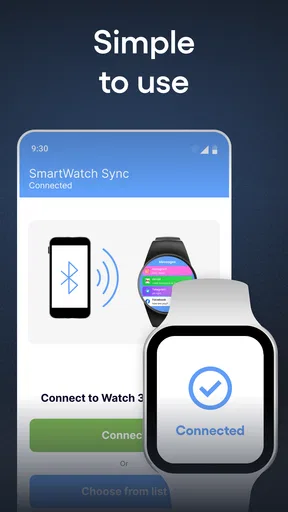
Setting it up was straightforward. After launching the app, I was greeted by a user-friendly interface that guided me through the pairing process with my smartwatch. It’s pretty intuitive—just a few taps, and my watch was connected via Bluetooth. If you've ever fumbled with settings trying to get devices to talk to each other, you'll appreciate how seamless this process is.
Features that stand out
Once you're all set up, the app opens up a world of features that make it stand out. First off, the notification sync blew me away. You get real-time notifications from your phone directly on your wrist. Whether it's messages, calls, or app alerts, you won’t miss a thing, which is super handy when you're on the go.
Another feature I loved is the customizable watch faces. You can personalize your smartwatch to match your style or mood, which is a nice touch. Plus, changing the watch face is as easy as pie—just a few taps, and you’re done.
The health and fitness tracking capabilities are also noteworthy. The app tracks steps, heart rate, and even sleep patterns, providing insights that are beneficial for anyone looking to keep an eye on their health. The data is presented in easy-to-read charts and graphs, making it simple to monitor your progress over time.
Performance and usability
Performance-wise, the app runs smoothly without any noticeable lags. The synchronization between the smartwatch and the phone is quick, ensuring that data is updated in real-time. This efficiency is crucial, especially for those who rely on timely information.
Usability is another area where the app shines. The interface is clean and uncluttered, making navigation a breeze. Even if you're not tech-savvy, you won't have trouble finding your way around the app. The developers clearly put a lot of thought into making it accessible for everyone.
Real-life scenarios
To really put the app to the test, I used it in various scenarios. During workouts, the fitness tracking was accurate, and getting notifications without having to stop and check my phone was a game changer. At work, the ability to discreetly glance at my wrist to check messages kept me in the loop without being disruptive.
In social settings, the app’s notification feature came in handy when I needed to stay connected without being glued to my phone. It's these real-life applications that truly show the app's value.
Final thoughts
After spending some quality time with the SmartWatch & BT Sync Watch App, I can confidently say it’s a must-have for anyone who wants to enhance the functionality of their smartwatch. With its seamless synchronization, customizable features, and user-friendly interface, it ticks all the right boxes.
If you’re in the market for an app that can keep you connected and help you make the most out of your smartwatch, I’d definitely recommend giving this one a try. Whether you're a fitness enthusiast or someone who just wants to stay in the loop, this app has got you covered.
Ready to take your smartwatch experience to the next level? You can find the download links for both Android and iOS right here on our website. Trust me, you won't regret it!
Verdict
Strengths of SmartWatch & BT Sync Watch App
- Seamless Bluetooth connectivity
- User-friendly interface design
- Customizable watch faces
- Quick notification sync
- Low battery consumption
Limitations of SmartWatch & BT Sync Watch App
- Limited third-party app support
- Occasional sync delays
- Requires frequent app updates
- In-app ads can be intrusive
- Limited language options
Other Releases by Devolutionapps
View All
Bluetooth - Auto Connect
Tools4.2
Similar Picks in This Category
View All
Google Messages
Google LLC4.6

Gmail
Google LLC4.1

Google Meet
Google LLC4.4

Google Chrome
Google LLC4.1

WhatsApp Messenger
WhatsApp LLC4.6

Carrier Services
Google LLC4.2
Frequently Asked Questions
What is the primary function of the SmartWatch & BT Sync Watch App?
The SmartWatch & BT Sync Watch App is designed to seamlessly connect your smartwatch with your smartphone via Bluetooth. It enables real-time synchronization of notifications, messages, and health data, ensuring you have all your essential information at your fingertips without needing to constantly check your phone.
Is the SmartWatch & BT Sync Watch App compatible with all smartwatch brands?
The app supports a wide range of popular smartwatch brands, including Apple, Samsung, and Fitbit. However, compatibility may vary with less common brands or older models. It's advisable to check the app's official website or the app store description for a detailed list of compatible devices before downloading.
How does the app impact battery life on both the smartwatch and smartphone?
The SmartWatch & BT Sync Watch App is optimized to minimize battery consumption by using efficient Bluetooth connectivity protocols. However, users may notice a slight increase in battery usage due to constant synchronization and notifications. Adjusting notification settings and syncing frequency can help manage battery consumption effectively.
What security measures are in place to protect my data on the SmartWatch & BT Sync Watch App?
The app employs advanced encryption to safeguard your data during transmission between devices. It also adheres to stringent privacy policies to ensure that your personal information and health data are protected. Regular updates are provided to address any security vulnerabilities and enhance data protection measures.
Are there any subscription fees or in-app purchases required for full functionality?
The core features of the SmartWatch & BT Sync Watch App are available for free. However, there may be optional premium features or customization options available through in-app purchases. These can enhance user experience but are not necessary for the basic operation of the app.
